



When deciding how to best manage your catalog, there are more than a few factors to take into account, the decision process is long, the options are.. overwhelming, but one important aspect that should play a big part in that decision process of elimination and can sometimes be overlooked is user permissions.
This article will talk about what user permissions are, why they’re important, and the best practices to make sure you’re protecting your catalog.
Why do user permissions matter?
User permissions are the backbone of a well organized system. They allow you to segment your music catalog, making a platform like Synchtank for example, your one-stop-shop for all your asset management needs instead of individual systems (or worse, a combination of sheets, docs, and emails where you can easily lose track of who sees what). An online branded platform allows you to to not only have a gorgeous looking front-end page, but it allows you to control and limit what each user group can see and do on your platform, ensuring not only the safety of your assets, but also making sure that you have a handle on your daily operations as well as your reports!
On our platform, user permission translates into a wide range of interpretations depending on what section of the platform you’re using, what you’re looking to achieve, or what music sector you’re coming from. We understand that, for example, a record label professional and a broadcaster have very different needs, and therefore require equally different options and solutions.
Best practices for user permissions and safety of your catalog
- Segment your catalog for specialized access
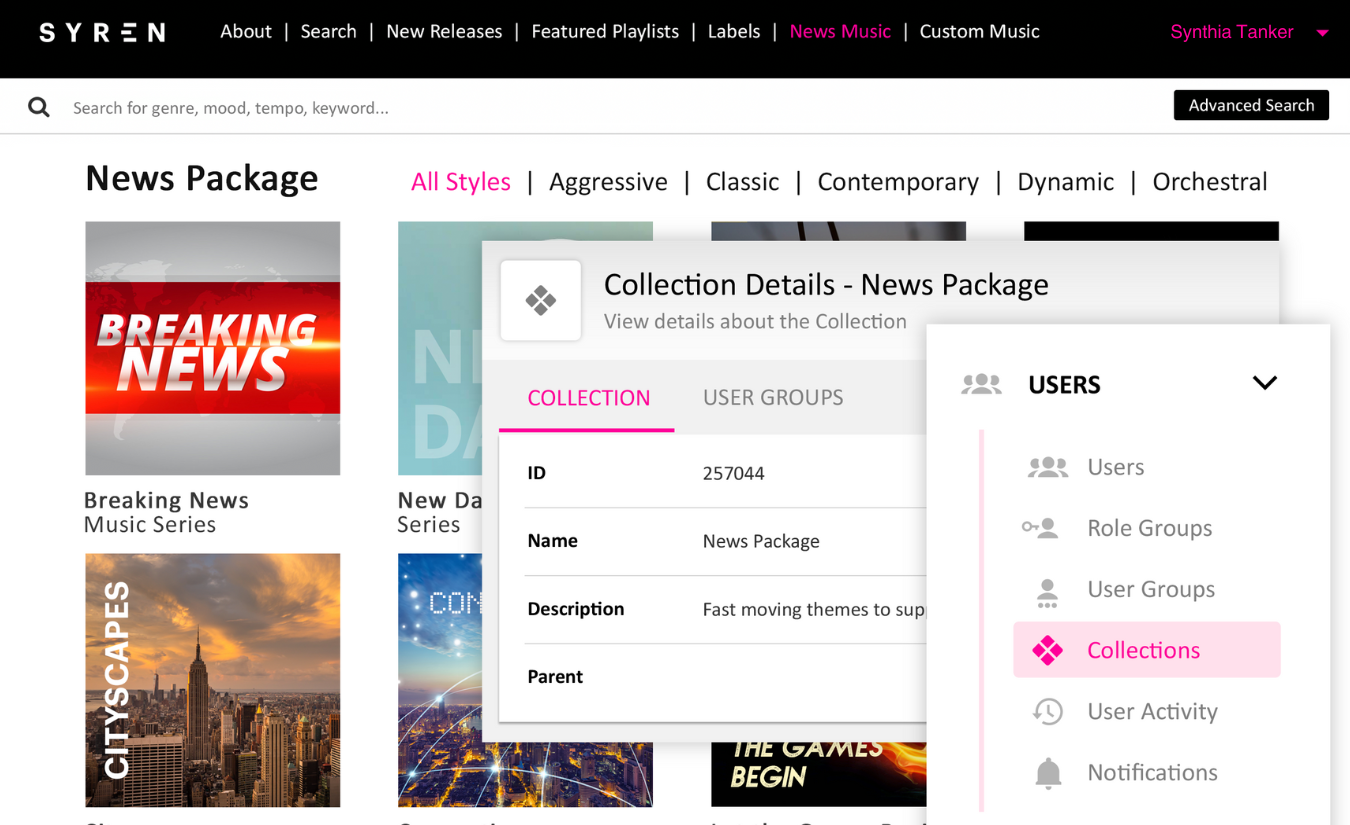
When managing high volumes of data, the number one rule is users should only see what they’re meant to see. The data and content can be categorized into collections so you make sure it’s categorised however best fits the scenario to provide the best user experience. By creating collections such as new releases, social media, or region specific, you begin to segment the access according to collections.
Once you have created your collections, you’re also able to create user groups, and assign collections to them or individual users. A perfect example of this would be a music supervisor who can only see and access tracks that they are licensed to use, or a broadcaster who is able to access only specific productions, essentially granting access to users based on their licensing process.
Protect your catalog!
A big part of user permissions is making sure that unauthorized users never have access to what they shouldn’t and new releases are protected and managed correctly.
The option to set up staggered release access plays a big role in this, protecting new releases by only making them visible to the correct people until the official release date. And building on that, the option to provide a lower quality file for auditing purposes creates an in-between option until the license has been granted.
Using groups for efficiency and reporting insights
Now that we’ve covered user permissions and managing access, another important part to cover is reporting! User groups and collections allow you to go above and beyond by segmenting your reports to see what’s working and what needs to go back to the drawing board.
By grouping users you can see which group is accessing what, which things they’re sharing and engaging with the most.
These detailed permissions are there to help you create the best fine-tuned environment, and what’s best, the ability to reconfigure permissions to different user groups means that it’s faster and easier to set up new accounts.
Synchtank makes sure that you can create a perfectly tailored user interface, making sure that it’s secure, efficient, protecting your catalog and providing the right level of access for everyone. Contact us to see how we can help you secure your catalog!
